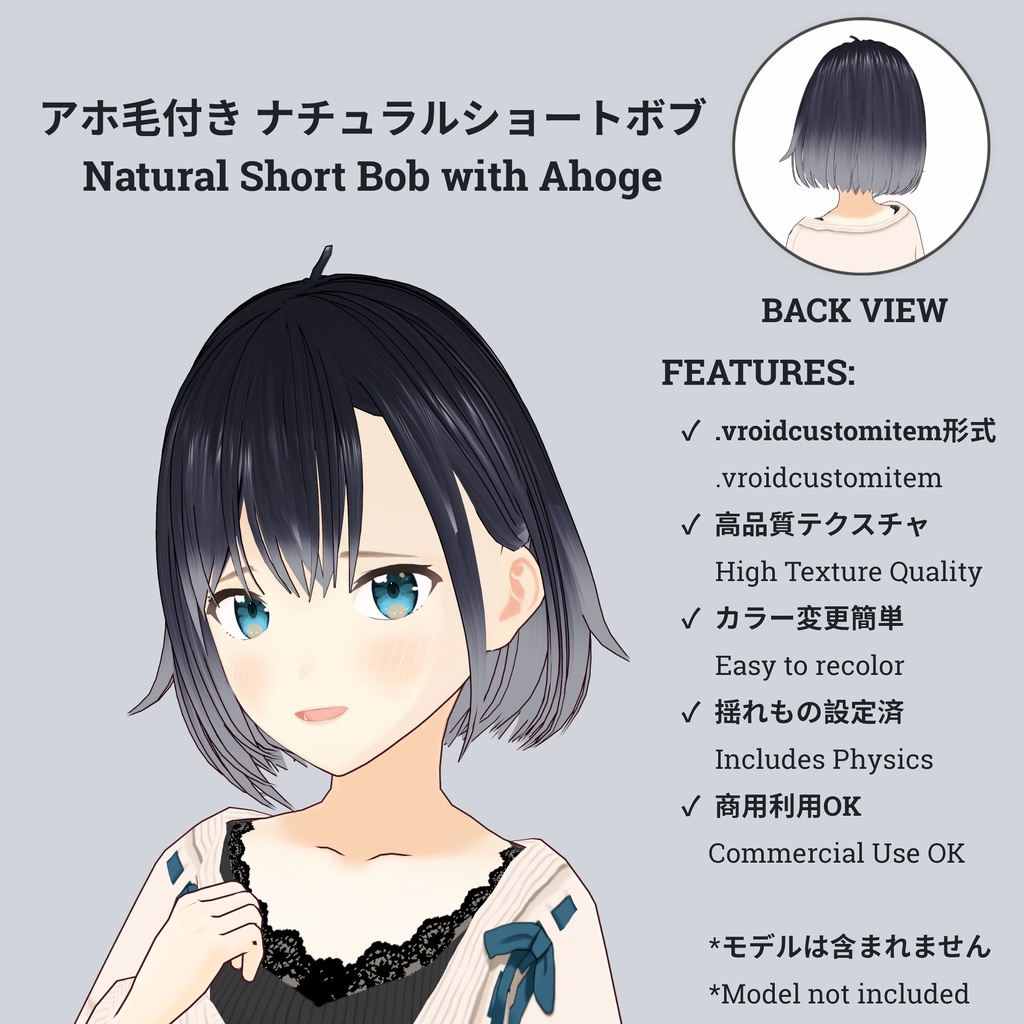
【VRoid】アホ毛付き ナチュラルショートボブ ヘアプリセット / Natural Short Bob with Ahoge Hair Preset
- ダウンロード商品スタンダード版(カスタムリカラー可能) / Standard Edition (Custom Recolor)¥ 300
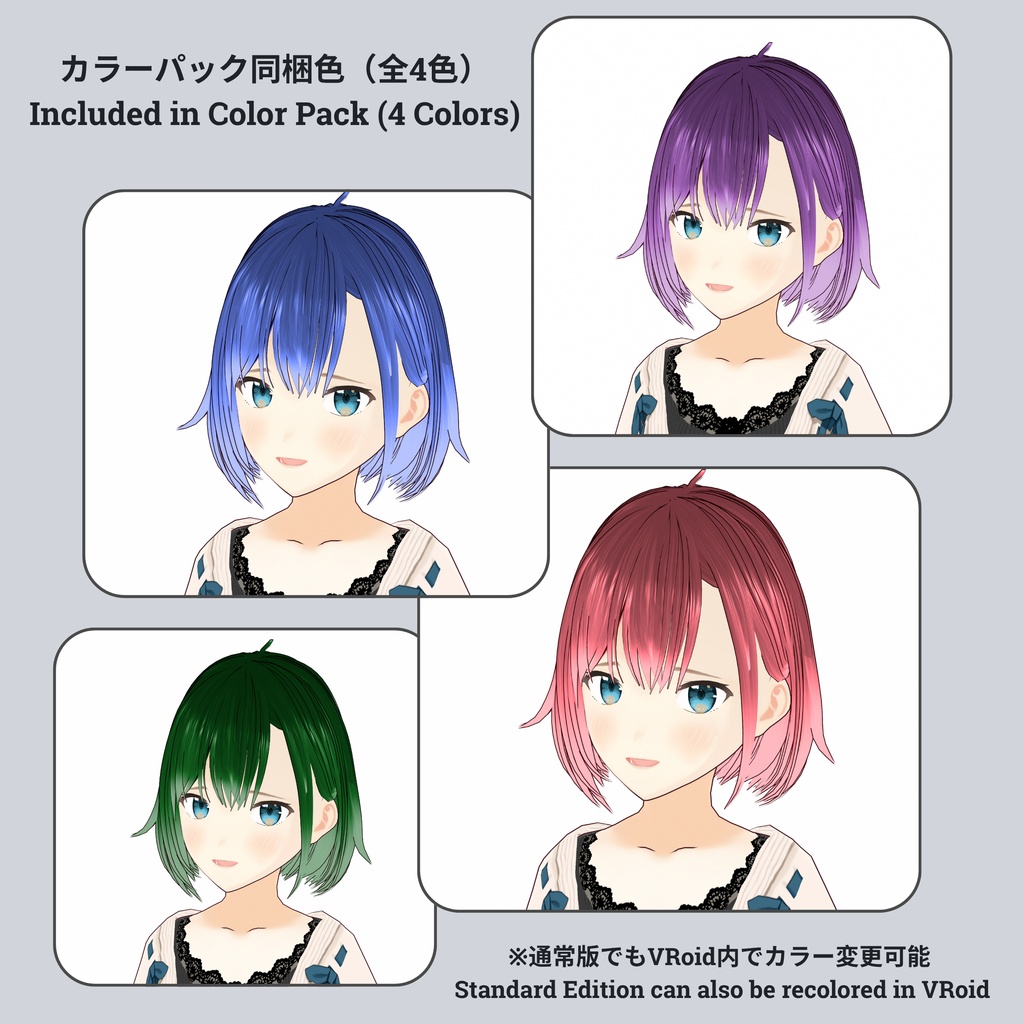
- ダウンロード商品カラーパック版(プリセットカラー同梱) / Color Pack Edition (Pre-made Colors Included)¥ 500
シンプルで洗練されたシルエットのショートボブです。 どんなファッションにも合わせやすく、クールさと可愛さを兼ね備えたデザインに仕上げました。 A short bob with a simple and sophisticated silhouette. Designed to be versatile for any outfit, this style perfectly balances a cool and cute aesthetic. 🎁 Plan / プラン スタンダード版(カスタムリカラー可能) / Standard Edition (Custom Recolor) : 300 JPY ● 内容物:.vroidcustomitemファイル ● VRoid Studio内で自由にカラー変更が可能です。 ● Includes the .vroidcustomitem file. ● Allows custom recoloring using VRoid Studio's color sliders. ─── ʚ♡ɞ ─── カラーパック版(プリセットカラー同梱) / Color Pack Edition (Pre-made Colors Included) : 500 JPY ● 内容物:.vroidcustomitemファイル + プリセットカラーテクスチャ(全色同梱) ● 色調整の手間なく、すぐに使えるカラーバリエーションがすべて含まれています。 ● Includes the .vroidcustomitem file + All pre-made color textures. ● Perfect for quick use without needing to manually adjust color settings in VRoid Studio. 💌 Support / 応援 もし活動を応援していただける方がいましたら、レジでのBOOST(上乗せ)機能を頂けると励みになります!ありがとうございます! If you would like to support my work, please consider using the BOOST function at checkout! Thank you so much! ⚠️ IMPORTANT / ご注意 【VRChatでのご利用について / For VRChat Users】 ● 本製品はVRoid Studio用の髪型データです。VRChatで使用する際は、ご自身でVRoid Studioを経由してエクスポートし、Unity等でセットアップしていただく必要があります。 ● This product is a hairstyle data file for VRoid Studio. To use it in VRChat, you must export it yourself via VRoid Studio and set it up in Unity. ヘアテクスチャ(画像で使用しているもの)は商品に含まれております。 モデル本体および衣装は付属しておりません。画像は着用例です。 Hair textures (as shown in the images) are included with this product. Character models and outfits are NOT included. Images are for display purposes only. 📋 Information テクスチャ、色、髪の太さなどは、ご自身のキャラクターに合わせて自由に変更・調整していただけます。 Customization: You are free to change the textures, colors, and hair thickness to suit your own character’s style! ⚖️ Terms of Use / 利用規約 ご使用は利用者の自己責任となります。本データ使用により生じた損害について、製作者は一切の責任を負いません. Use of this data is at your own risk. The creator is not responsible for any issues or losses. ✅Allowed / 許可事項: ● メッシュや形状の改変 (Modification of the hair data mesh/shape) ● 個人利用および商用利用(VTuber活動、VRChat等での使用) (Personal and commercial use for VTubing, VRChat, etc.) ● 性的表現・暴力表現への使用 (Use in R-18 or violent content) ❌ Prohibited / 禁止事項: ● データの再配布、および二次配布 (Redistribution or secondary distribution) ● 自作発言 (Claiming the materials as your own work) ● データの転売(改変したデータも含まれます) (Selling the data, including modified versions) 🛠️ How to Use 1. VRoid Studioを起動します. 2. 「髪型」タブから「カスタム」を選択し、本データをインポートしてください. 3. お好みのヘアテクスチャを適用して完成です! 1. Open VRoid Studio. 2. Go to the "Hairstyle" tab, select "Custom," and import this file. 3. Apply your favorite hair texture and you're ready!